
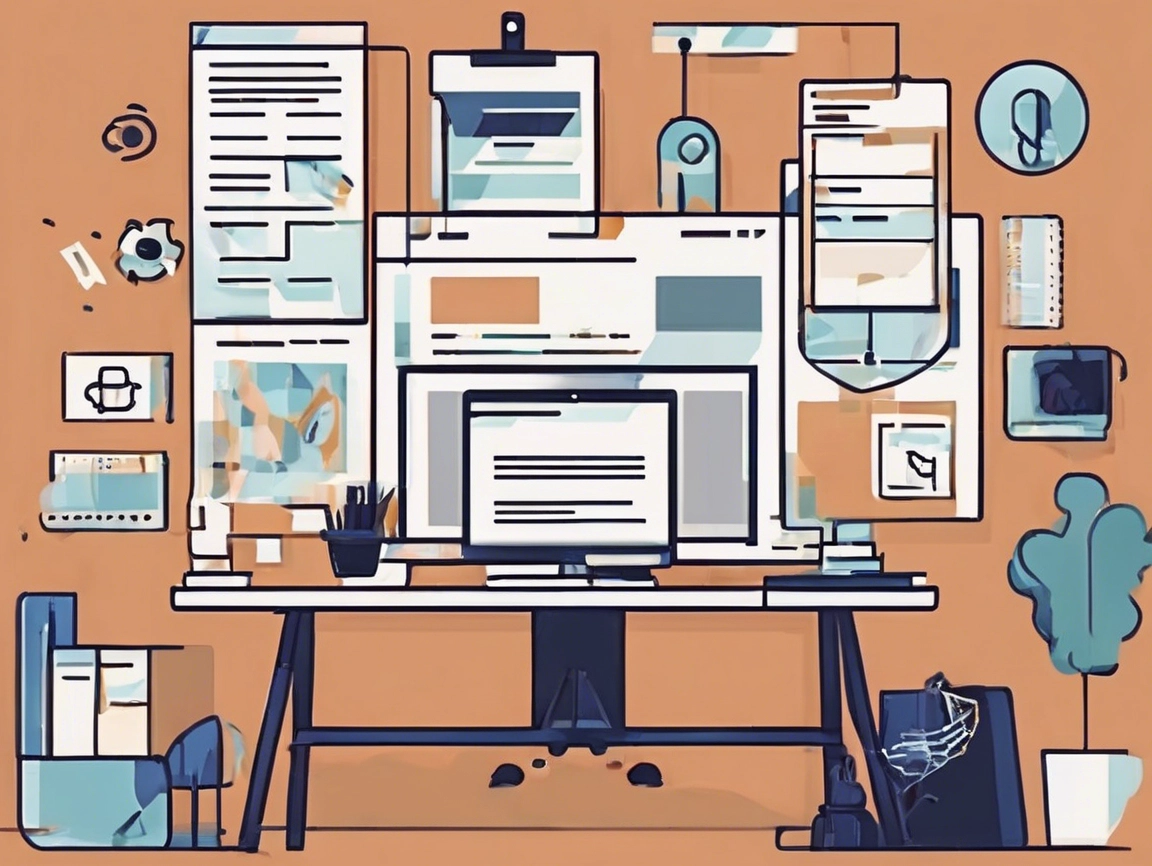
Building a Website for Small Business: Guide to Leads and Discoverability
By Cap Puckhaber – WebsiteJockey.com, Reno, Nevada
I spent fifteen years at Amazon, digging into data and optimizing digital experiences for performance. When I launched my own marketing agency, Black Diamond Marketing Solutions in Reno, Nevada, I applied those same rigorous, data-driven principles to website creation. I didn’t want a “pretty” site. I needed a machine that generated leads. That’s the mindset I bring to every project, and it’s the secret behind WebsiteJockey.com.
In this comprehensive guide, I’m sharing the exact playbook for how to build a website for small business owners, freelancers, and agencies. We’re moving past the confusion of choosing platforms and focusing instead on strategic design and expert SEO that drives real conversions, not just traffic. Whether you are creating a basic service landing page or a full eCommerce store, you’ll get clear, actionable steps on choosing the right tools, optimizing your layout, and ensuring your site is built for long-term success.
The good news? You can make a one-page website or small multi-section site that is clean, modern, and effective using powerful yet simple tools—even with AI to help you build it in minutes. I want to walk you through the best hosting and site-building tools, homepage design best practices, and how to choose the right site layout ideas. We’ll cover plugins to improve your website’s appearance, tools that show you how to design a web page template, and those smart AI platforms that can design it for you.
The Fundamental Decision: Purpose Over Polish
Before you ever open a website builder or hire a designer, you must nail down the purpose of your online presence. Many beginners get lost scrolling through “crazy design websites” or the most beautiful corporate layouts they find. The flashiest sites often fail to convert. I always tell my clients that clarity beats complexity every single time. A great company website is fast, functional, and makes the next step obvious.
For a small business owner, your website must accomplish one of three things: it has to generate sales, capture leads, or showcase a portfolio. If it doesn’t do one of those three things exceptionally well, it’s just digital window dressing. This focus is particularly important when you’re deciding on a website package for small business success. A package should provide tools that support your core goal, whether that’s a built-in shopping cart or a robust contact form. Getting this right from the beginning saves you countless hours of rebuilding down the line.
Understanding the Type of Website You Need
Before choosing tools or providers, I always ask my clients to define their category. For service-based businesses—think contractors, consultants, or coaches—you need a website that makes your offer clear, makes it easy for people to contact you, and ranks well on Google using small business SEO tools. If you are running a product-based or eCommerce business, you’ll need online payment functionality, product listings, and a mobile-friendly design. Then there are the portfolio or personal brand sites, which require a clean, modern layout that loads fast and looks good on all devices. Many people search for “best small business websites” or “great company websites” for inspiration, but your specific needs should always dictate the tech stack.
Which Platform Should You Use: Builders Versus Self-Hosting?
Choosing the right foundation is the most critical technical decision you’ll make. I’ve built successful sites using both paths, and the “best” one always depends on your business’s current needs and your long-term commitment to maintenance. Think of it like this: an all-in-one builder is like a leased, turn-key storefront. Self-hosted WordPress is like owning the land and the building. You have total control, but all maintenance is on you.
For beginners, there are three primary paths. The first is All-in-One Builders like Wix, which offers drag-and-drop editing and easy tools to edit Wix site pages. Squarespace is another great option with sleek templates perfect for creative businesses. For anything product-focused, Shopify is the king of eCommerce.
The second path is WordPress.org with Hosting. If you want more control and scalability, you’d go with WordPress hosted on a provider like Bluehost, SiteGround, or HostGator. These offer one-click installs and are great for implementing advanced features like creative web design or small business SEO tools.
The third path involves Managed Platforms for specific use cases, like Webflow for full creative control or GoDaddy’s Website Builder if you’re already using them for your domains.
The Absolute Essentials for a New Website
Every single time I consult on a site, I preach focusing on speed, mobile responsiveness, and a clear call-to-action (CTA). When I optimized product listings at Amazon, load time was non-negotiable. Every millisecond of delay costs conversions. That holds true for a local contracting business in Reno or a global eCommerce shop. Your site absolutely must look fantastic on a phone because the majority of web traffic is mobile. You need a highly visible CTA button that directs the visitor to the next step.
Which platform you choose depends on your current skills and long-term goals. For most entrepreneurs starting out, an all-in-one builder like Wix or Squarespace is the simplest and fastest route because they handle hosting, security, and updates in the background. However, if you anticipate needing complex integrations, self-hosted WordPress with a provider like Bluehost gives you unmatched freedom. If you’re selling products, Shopify skips the complexity of bolting on shopping cart features to another system.
For those who want exceptional design control without writing code, Webflow is a visual development tool that outputs clean HTML and CSS. Another cutting-edge option is Framer, which is built for speed and has powerful AI capabilities. If minimalism and high performance are your top priorities, Framer or other platforms using AI to generate site layouts are hard to beat.
Laying the Groundwork: Planning Your Site Layout
Once you have chosen your tool, the next step is strategic layout planning. Think of your website layout like the floor plan of a retail store. You don’t want customers wandering aimlessly; you want to guide them from the entrance to the cash register. The best sites use design to focus attention, not distract it.
Your homepage is your first impression. It should include a headline that says what you do fast, a subheadline with your key benefit, and a visual or video that adds personality. You also need a call to action, trust elements like testimonials, and clear contact options in the footer and top navigation. If you’re using WordPress, I recommend plugins like RankMath or Yoast SEO to boost visibility, WP Rocket for speed, Spectra for design blocks, and Fathom or Plausible for privacy-first visitor tracking.
For real-world site layout ideas, you might try a hero-focused one-pager, which is perfect for solo consultants. Or, if you have a portfolio, a grid-style gallery works wonders. For a more modern corporate feel, a split-screen layout is effective, while a vertical scroll is best for storytelling and personal brands. You can use tools like Figma to prototype your layout first, or grab a visual wireframe from Webflow or Framer.
Designing Without Code and Choosing the Right Structure
You don’t need to reinvent the wheel. A simplified approach to designing a web page template involves sketching your layout on paper, choosing your platform, and using consistent fonts and colors. You build section-by-section: header, about, services, testimonials, and footer.
One question I get often is whether you need a complex site or if a simple one-page website is enough. For many small businesses and freelancers, the simplicity of a single-page site is a massive advantage. It forces you to be exceptionally clear about your core offer. However, if you run an eCommerce shop or a large service business with distinct offerings—like a law firm with multiple practice areas—you will need a multi-page structure to rank for specialized queries and fully inform your clients.
The service-based layout is specifically designed to build trust. It starts with a strong Hero Section with a bold headline, followed by a Services section that focuses on outcomes. Then, an About You or Authority section establishes your credentials—this is where I would mention my time at Amazon or Black Diamond Marketing Solutions. Next comes the Testimonials or Social Proof section, and finally, a functional contact form. This structure answers the user’s questions in the correct order: Can you help me? Are you credible? How do I hire you?
Homepage Conversion and Professional Aesthetics
Your homepage needs to be an efficient salesperson. When I was building BlackDiamondMarketingSolutions.com, I made sure the Hero Section did all the heavy lifting instantly. Your headline must state what you do and who you do it for in five seconds flat. Pair that with a visually distinct CTA button.
To build immediate trust, place client logos or certifications right below the hero section. Remember, homepage design best practices always favor clarity and trust over complexity. When choosing a template, look for plenty of whitespace—it’s visual breathing room that makes content easier to scan on mobile. Use clean typography, typically two fonts maximum. Starting with an industry-specific theme is often smarter than starting from a blank web page template because the foundational work is done.
The Role of AI Website Builders
AI website builders have become excellent starting points. Platforms like Durable AI can take a description and instantly generate a site. 10Web uses AI to build optimized WordPress sites quickly, and Framer AI turns text prompts into design-ready layouts. However, you should never publish an AI-generated site without extensive human review. These tools are fantastic for building a wireframe, but the human element is the irreplaceable part of your brand identity.
The Non-Negotiable Step: Optimizing for Search (SEO)
A beautiful website that nobody can find is just an expensive digital business card. To rank higher, you need to focus on technical performance, optimized on-page structure, and off-page authority. Technically, you must have an SSL certificate and use performance tools like WP Rocket.
Structurally, your page titles and meta descriptions need to contain your primary keywords, like “build website for small business.” Every image needs descriptive alt text. For long-term authority, the best thing you can do is start blogging with helpful content that addresses customer needs. Adding content consistently is the most reliable way to improve site authority and capture traffic from informational searches.
Use tools like Ubersuggest, SEMrush, or Ahrefs to research keywords and see what your competitors are doing. If you’re on WordPress, RankMath or Yoast SEO is non-negotiable. When handling keywords like “best website package for small business,” aim to answer the underlying intent—people are looking for a reliable, affordable solution. Prioritize the reader’s experience, and helpful content will always win.
Lessons from the Field: My Lived Experience
Building your own website is incredibly rewarding, but it’s easy to get stuck trying to achieve perfection. When I left the corporate world to start Black Diamond Marketing Solutions, I had to overcome the paralysis of choice myself. I spent too much time staring at a blank screen, trying to figure out which “clean” design was perfect.
My time building websites for customers taught me that launching a good, functional site is always better than perfecting a great one that never sees the light of day. The most impactful work happens after the site is live and collecting real data. That’s when you monitor behavior and adjust your CTAs.
I once consulted with a firm that had seventeen poorly organized pages and an average session duration of only 25 seconds. We consolidated their site into a clean, four-page structure—Home, Services, About, Contact. Within three months, their contact form submissions doubled. This proves that strategic minimalism—picking your top three highest-value offers—is a hallmark of high-converting sites.
Actionable Steps: From Launch to Lead Generation
Treat your website like a product launch. Before you hit publish, test your contact forms multiple times across different devices. A broken lead capture system costs you money. Run your site through Google’s PageSpeed Insights; if your score is lower than 80, you need to compress images or eliminate unnecessary scripts. Check every internal and external link for 404 errors to avoid losing user trust.
Once live, share your link on social media and send a personal email to your network. If you serve a local market, update your Google Business Profile immediately. Focus on attracting quality backlinks by offering expert commentary to industry publications. High-quality backlinks are the fuel for domain authority.
Commit to a consistent content schedule. Adding authoritative blog posts regularly shows search engines that your site is a growing resource. Finally, avoid the common mistake of prioritizing novelty over usability. Don’t use unnecessary animation or messy typography, and never ignore mobile performance.
Frequently Asked Questions
What are the main differences between Wix and WordPress hosting for small business? Wix is an all-in-one, closed system. Everything is packaged together, providing a seamless and intuitive experience for beginners, though you are limited to their ecosystem. WordPress requires separate hosting from a reliable company like Bluehost or SiteGround, which demands more technical maintenance but gives you complete freedom to scale and customize.
How important is mobile-friendliness for attracting local customers? It is absolutely critical. For local searches like “plumbers near me” or “best lawyer Reno,” the vast majority happen on a phone. Google explicitly prioritizes fast, responsive mobile sites in its rankings. If your site is difficult to navigate on a smartphone, visitors will hit the back button and go to a competitor.
Where can I find reputable data about small business website conversion rates? You should check authoritative business and marketing sources that track industry metrics. Publications like Forbes frequently release reports on industry standards, and sources like CNN Business or Bloomberg provide broader consumer trend data that can help you ground your digital strategy in expert-backed insights.
Final Thoughts
Building your first site doesn’t need to be overwhelming. The key is to start with a purpose, choose the right tools, and keep things simple. The best business websites aren’t flashy—they’re clear, fast, and functional.
Whether you’re creating a landing page, showcasing your services, or building out an online store, this guide gives you the foundation.
At WebsiteJockey.com, I’m here to help you take the next step.
Stay curious,
Cap Puckhaber
Founder, WebsiteJockey.com
Helping beginners launch beautiful, functional websites without the jargon.
How to Create Your First Website
Simple Email Marketing Tips for Small Business
6 Keys to a Successful Website Design

Discover Website Jockey
Website Jockey is your go-to beginner’s resource for learning all things related to websites, web design, SEO, eCommerce, and beyond.
Whether you’re just starting or aiming to enhance your skills, our blog provides easy-to-understand tips, practical tutorials, and expert insights to help you build, optimize, and grow your online presence effectively.
Cap Puckhaber hosts Website Jockey, your go-to resource for learning websites, web design, SEO, eCommerce, and more.

Our Blog
We’ve Got You Covered.
Ecommerce management covers all aspects of running an online store, including product listings, inventory, customer service, marketing strategies, and order fulfillment to ensure profitability.
SEO (Search Engine Optimization) enhances website visibility on search engines, driving organic traffic and improving user experience
Development focuses on creating responsive, functional, and high-performance websites through coding and design.
Web Design prioritizes aesthetics and usability, using layout, color, typography, and interactive features to engage visitors.
Web management ensures ongoing website maintenance, including content updates, security, and performance optimization, for smooth operations and business growth.
Follow Cap Puckhaber
Connect with Cap Puckhaber on Facebook. See my latest adventures on Instagram. Read my thoughts on business, finance and more on X. Join the conversation with Cap Puckhaber on Threads.
Follow me on Mastodon for the latest updates. Browse my Pins on Pinterest. See my Marketing Articles on Medium. Check out Cap Puckhaber’s Company Page on LinkedIn

Cap Puckhaber
Backpacker, Marketer, Investor, Blogger, Husband, Dog-Dad, Golfer, Snowboarder
Cap Puckhaber is a marketing strategist, finance writer, and outdoor enthusiast from Reno, Nevada.
He writes across CapPuckhaber.com, TheHikingAdventures.com, SimpleFinanceBlog.com, and BlackDiamondMarketingSolutions.com.
Follow him for honest, real-world advice backed by 20+ years of experience.

Follow Cap Puckhaber Online
- Join the Team on Wellfound
- Connect with Cap Puckhaber on Facebook
- See Real-Time Thoughts on X
- Read In-Depth Articles on Medium
- Subscribe to Cap Puckhaber’s Substack Newsletter
- Follow Cap Puckhaber’s Company Page on LinkedIn
- View Our Agency Profile on DesignRush
- See Cap Puckhaber’s Agency on Agency Spotter
- Explore Technical Projects on GitHub
- See Cap Puckhaber’s Creative Portfolio on Behance
- Learn more about my company on Crunchbase
- Cap Puckhaber’s Quora Profile
- Join Cap Puckhaber’s Conversation on BlueSky
- Follow My Updates on Mastodon


Leave a Reply