
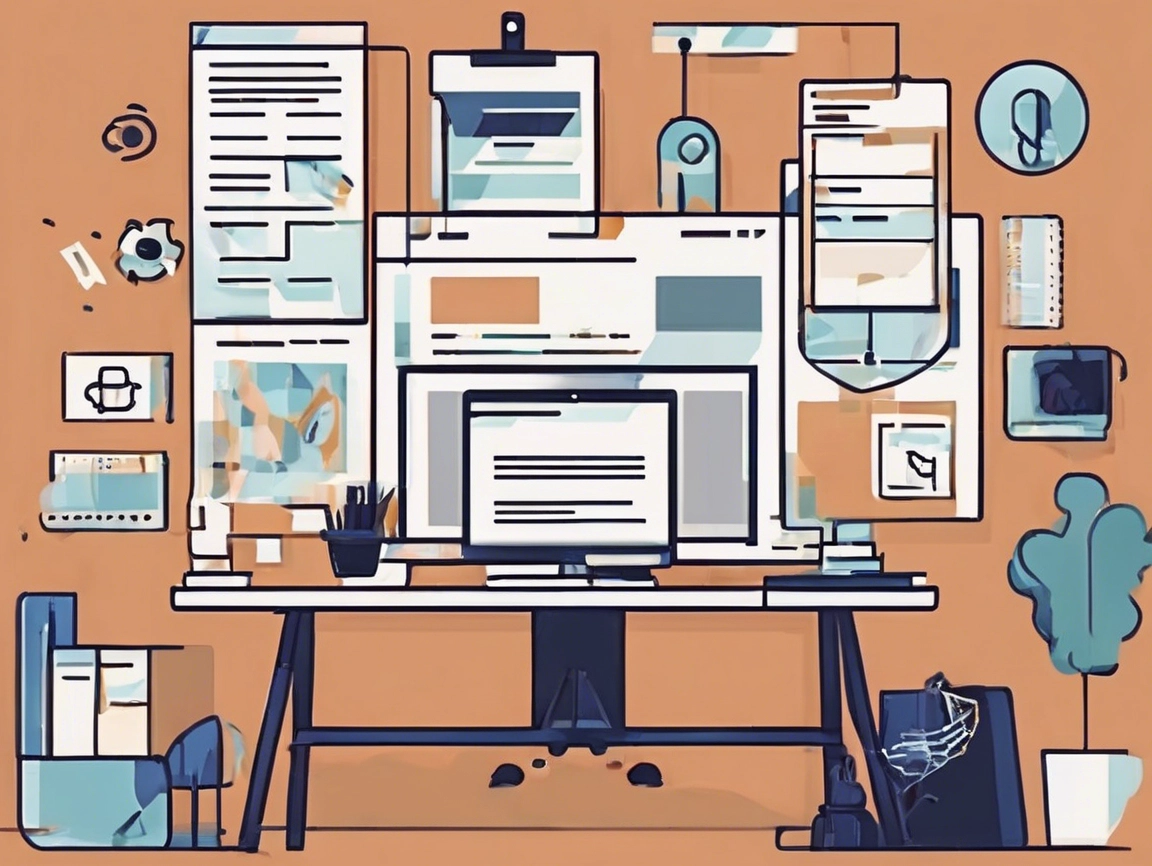
Building a Website for Small Business: Guide to Leads and Discoverability
By Cap Puckhaber – WebsiteJockey.com, Reno, Nevada
I spent fifteen years at Amazon, digging into data and optimizing digital experiences for performance. When I launched my own marketing agency, Black Diamond Marketing Solutions in Reno, Nevada, I applied those same rigorous, data-driven principles to website creation. I didn’t want a “pretty” site. I needed a machine that generated leads. That’s the mindset I bring to every project, and it’s the secret behind WebsiteJockey.com.
In this comprehensive guide, Cap Puckhaber shares the exact playbook for how to build a website for small business owners, freelancers, and agencies. We’re moving past the confusion of choosing platforms and focusing instead on strategic design and expert SEO that drives real conversions, not just traffic. Whether you are creating a basic service landing page or a full eCommerce store, you’ll get clear, actionable steps on choosing the right tools, optimizing your layout, and ensuring your site is built for long-term success.
The good news? You can make a one-page website or small multi-section site that is clean, modern, and effective using powerful yet simple tools—even with AI to help you build it in minutes.
This guide will walk you through:
- The best hosting and site-building tools
- Homepage design best practices for small businesses
- How to choose the right site layout ideas
- Plugins to improve your website’s appearance and performance
- Tools that show you how to design a web page template
- Smart AI platforms that can design it for you
The Fundamental Decision: Purpose Over Polish
Before you ever open a website builder or hire a designer, you must nail down the purpose of your online presence. Many beginners get lost scrolling through “crazy design websites” or the most beautiful corporate layouts they find. The flashiest sites often fail to convert. I always tell my clients that clarity beats complexity every single time. A great company website is fast, functional, and makes the next step obvious.
For a small business owner, your website must accomplish one of three things: generate sales, capture leads, or showcase a portfolio. If it doesn’t do one of those three things exceptionally well, it’s just digital window dressing. This focus is particularly important when you’re deciding on a website package for small business success. A package should provide tools that support your core goal. This might be a built-in shopping cart or a robust contact form. Getting this right from the beginning saves you countless hours of rebuilding down the line.
Step 1: Understand What Type of Website You Need
Before choosing tools or providers, first ask: what is the purpose of your website?
- Service-Based Businesses: If you’re a contractor, consultant, coach, or offer any professional service, you need a website that makes your offer clear, easy to contact you, and ranks well on Google using small business SEO tools.
- Product-Based or eCommerce: If you’re selling physical or digital products, you’ll need online payment functionality, product listings, and a mobile-friendly design.
- Portfolio or Personal Brand: If you want to showcase your work, resume, or side hustle, you need a clean, modern layout that loads fast and looks good on all devices.
Many people search for “best small business websites” or “great company websites” to find inspiration. Check those
🛠️ Which Platform Should You Use: Builders Versus Self-Hosting?
Choosing the right foundation is the most critical technical decision you’ll make. Today, the choice generally comes down to user-friendly, all-in-one builders or the powerful flexibility of self-hosted WordPress. I’ve built successful sites using both paths. The “best” one always depends on your business’s current needs and your long-term commitment to maintaining the site. Think of it like this: an all-in-one builder is like a leased, turn-key storefront. Self-hosted WordPress is like owning the land and the building. You have total control, but all maintenance is on you.
Step 2: Choose a Website Builder or Hosting Provider
There are three beginner-friendly paths for building your website:
1. All-in-One Builders (Best for Beginners)
- Wix: Drag-and-drop editing, dozens of beautiful templates, and easy tools to edit Wix site pages.
- Squarespace: Sleek templates perfect for creative businesses or service providers.
- Shopify: Best for product-based and eCommerce businesses.
If you’re starting from scratch and want ease of use, these platforms offer everything from hosting to design templates.
Popular search terms: best website developers for small business, best business websites, edit Wix site, how to make a web page template
2. WordPress.org with Hosting
If you want more control and long-term scalability, go with WordPress hosted on:
- Bluehost (best website package for small business)
- SiteGround
- HostGator
These offer one-click installs and are great for implementing advanced features, like creative web design and development or small business SEO tools.
3. Managed Platforms (for Specific Use Cases)
- Webflow: More advanced, but allows full creative control.
- GoDaddy Website Builder: Decent if you already use GoDaddy for domains.
What are the absolute essentials for a new small business website?
Every single time, I preach focusing on speed, mobile responsiveness, and a clear call-to-action (CTA). When I optimized product listings at Amazon, load time was non-negotiable. Every millisecond of delay costs conversions. That holds true for a local contracting business in Reno or a global eCommerce shop. Your site absolutely must look fantastic on a phone. The majority of web traffic is mobile. You need a highly visible, easy-to-use CTA button that directs the visitor to the next step. These nuts and bolts form the backbone of any effective digital presence.
Choosing the Right Website Platform for Your Needs
What platform you choose depends on your current skills and long-term goals. Here is a breakdown of the primary options. One might suit you better than the others.
Wix or Squarespace
- For most entrepreneurs just starting out, an all-in-one builder like Wix or Squarespace is usually the simplest and fastest route to launch. They handle the hosting, security, and complex updates in the background. This lets you concentrate entirely on your content and serving your customers, significantly reducing technical overhead. Wix offers fantastic drag-and-drop editing and a huge array of templates. This makes it painless to edit Wix site pages without needing any coding knowledge. This path provides immediate ease of use. It’s perfect for quickly getting your core offer online and validating your business idea without a steep learning curve.
WordPress or Bluehost
- Consider the self-hosted WordPress.org option if you anticipate needing complex integrations, custom functionality, or want absolute, long-term control over your SEO. This approach requires separate, reliable hosting from a top provider like Bluehost or SiteGround, but the flexibility you gain is unmatched. Self-hosting offers unparalleled room for growth. It is great for implementing advanced features like membership areas or highly sophisticated small business SEO tools later on. This path is inherently more technical. It provides incredible long-term scalability and design freedom, giving you complete ownership over your digital assets.
Shopify
- If your focus is primarily on selling physical or digital products, Shopify remains the undisputed heavyweight champion that you should choose. This platform is specifically designed for product listings, online payments, shipping logistics, and managing inventory effectively. This makes it the most streamlined solution for eCommerce. It provides a robust, mobile-friendly environment right out of the box. This ensures customers have a smooth shopping experience from browsing to checkout. Choosing Shopify means you immediately skip the complexity of bolting on shopping cart features to another system.
Which platforms offer the best control over small business website design?
Beyond the major players, specialized platforms offer exceptional design control without forcing you to write code. Webflow is a visual development tool that outputs clean, professional HTML and CSS. This gives you pixel-perfect precision and total control over every visual element. It’s a huge step up from typical drag-and-drop interfaces. It’s perfect for a small business that wants a truly premium, custom aesthetic without the heavy cost of agency development. Another cutting-edge option is Framer. This platform is built for speed and has powerful AI capabilities. This makes it ridiculously easy to make a one-page website that loads almost instantly. If minimalism, high performance, and rapid prototyping are your top priorities, you cannot go wrong with Framer or other platforms using AI to generate site layouts quickly.
Laying the Groundwork: Planning Your Site Layout
Once you have chosen your tool, the next step is strategic layout planning. Think of your website layout like the floor plan of a successful retail store. You don’t want customers wandering aimlessly. You want to guide them efficiently from the entrance to the cash register. The best sites use design to focus attention, not distract it. This strategic focus is paramount, especially when optimizing for mobile screens, where space is extremely limited. The ultimate goal is creating clear paths to conversion using proven site layout ideas.
Homepage Design Best Practices for Small Businesses
Your homepage is your first impression. Here’s what it should include:
- Headline that says what you do (fast)
- Subheadline with your key benefit or value
- Visual or video that adds personality
- Call to action (book a call, shop now, get a quote)
- Trust elements like testimonials, logos, or press features
- Clear contact options in the footer and top nav
Great corporate websites keep it simple and bold. Don’t clutter—clarify.
Best Plugins and Add-ons to Improve Your Site
If you’re using WordPress or another CMS, these tools can help polish your site:
- RankMath or Yoast SEO: Boost your SEO visibility
- WP Rocket: Improve speed and performance
- Spectra (for Gutenberg): Add beautifully designed blocks
- Fathom or Plausible Analytics: Simple, privacy-first visitor tracking
These are lightweight tools—unlike some site builders, they don’t slow you down.
Site Layout Ideas That Actually Work
Want real-world site layout ideas? Try these:
- Hero-focused one-pager (Perfect for solo consultants or service providers)
- Grid-style gallery (Great for portfolios or product catalogs)
- Split screen layout (Modern corporate feel)
- Vertical scroll storytelling (Best for personal brands or causes)
Use tools like Figma to prototype your layout first, or grab a visual wireframe from Webflow or Framer to get started.
How to Design a Website Theme or Template (Without Code)
Don’t reinvent the wheel. Here’s a simplified approach to how to design a web page template or even how to make web template layouts yourself:
- Sketch your layout on paper or Figma
- Choose a layout platform (Framer, Webflow, or WordPress)
- Use consistent fonts and colors
- Build section-by-section: header, about, services, testimonials, footer
- Preview and test on mobile
For solo founders or new bloggers, this is a repeatable method to make great company websites that feel polished and personal.
Step 3: Pick a Template or Theme
Once you sign up with a builder or install WordPress, choose a theme that matches your industry and goals.
- Look for simplesite templates or creative website templates to get started.
- Choose a blank web page template if you want full control.
- Check “how to design a web page template” for inspiration.
- Want to impress? Explore “crazy design websites” or “mystery plain eye catching website” ideas.
Remember, the best looking sites aren’t always the most functional. Your goal is clarity + action.
Pro Tip: If you’re stuck, browse “website with ideas” or “site layout ideas” on Pinterest or Dribbble.
Do I need a complex, multi-page site or is a simple one-page website enough?
For many small businesses and freelancers, the simplicity of a single-page website is a massive advantage. I’ve seen solo consultants and local service providers thrive with a one page website. It forces them to be exceptionally clear about their core offer. This leads to higher engagement rates. The user scrolls down and gets all the essential information in one focused, unbroken journey. This streamlined structure entirely eliminates the confusion of navigating multiple menus or losing a user on a deep page. If you run an eCommerce shop with dozens of products or a large service business with many distinct offerings, you will absolutely need a multi-page structure. This handles the necessary volume and detail. A law firm needs separate, specific pages for each area of practice, for example. This helps them rank well for specialized queries and fully inform potential clients about their expertise.
What is the ideal layout for a service-based business website?
The service-based layout is specifically designed to build trust and efficiently capture contact information. It follows a logical sequence that anticipates user questions.
- The journey always starts with a strong Hero Section. This includes a bold, benefit-driven headline immediately communicating your value. A primary call-to-action encourages the user to take the next step, like “Schedule a Free Consultation.” As the user scrolls, they move into a Services section. This clearly details the core offerings and explains the positive results you help your clients achieve. This section needs to be concise. Focus it on outcomes, not just lists of tasks.
- The next critical section is the About You, or Authority section. This is vital for establishing personal expertise and trustworthiness. Here is where you include a brief professional background, your credentials, and perhaps a mention of past experience. Mention my time optimizing for data at Amazon or running Black Diamond Marketing Solutions. Crucially, next comes a Testimonials or Social Proof section. This features client logos or quotes. This serves as unbiased third-party validation. Showcasing who you’ve helped builds immediate confidence.
- The journey always concludes with a clear and functional Contact Form. This is usually presented after the social proof to capitalize on the trust you’ve just established. This specific layout answers the user’s implicit questions in the correct order: Can you help me solve my problem? Are you credible and trustworthy? How do I hire you or get in touch? This proven structure ensures visitors move seamlessly toward conversion.
Step 4: Plan Your Layout
Start simple. A basic one-page website can do wonders.
One-Page Layout Plan (Great for Local Services or Freelancers):
- Hero Section: Logo, headline, and call-to-action (CTA)
- Services: What you offer and how you help
- About You: Brief background
- Testimonials: Social proof
- Contact Form
eCommerce Layout Plan:
- Homepage with featured products
- Shop page
- Product detail pages
- About us
- Contact and support
Service Website Plan:
- Home
- Services
- Pricing or Packages
- FAQ
- Contact
Looking to stand out? Consider these elements:
- Pretty websites often use minimalist color schemes
- Use a social site template if you’re active on Instagram, TikTok, etc.
- Make a one page website to focus user attention on your core offer
Step 5: Customize and Design
This is where personal web design comes into play. Keep these tips in mind:
- Use high-quality images and avoid stock photos when possible
- Stick to 2–3 fonts max
- Use color for emphasis, not decoration
- Make sure your CTA (call-to-action) buttons are visible and clear
Explore how to design a website theme using best practices from UX/UI. You don’t need to be a designer—many platforms handle this part well.
How can I design a homepage that converts visitors into customers?
Your homepage needs to be an efficient salesperson, working tirelessly to guide the visitor. When I was building my own agency’s site, BlackDiamondMarketingSolutions.com, I made sure the top half of the screen—the Hero Section—did all the heavy lifting instantly. The headline must clearly state what you do and who you do it for in five seconds flat. This captures the visitor’s attention before they bounce. This critical headline is then paired with a highly visible and compelling Call-to-Action button. Don’t hide the button. You should make it visually distinct using contrasting color and persuasive action text.
A crucial element often overlooked is the immediate use of trust signals. Placing client logos, industry certifications, or brief testimonial excerpts right below the hero section helps immediately establish your authority. This reduces initial skepticism. Remember, homepage design best practices for small businesses always favor clarity and trust over cutting-edge animation or unnecessary complexity. Eliminate anything that makes the user think twice or gets in the way of that primary conversion goal.
The Design and Content Strategy for Clarity
Once the structure is planned, we turn to the actual look and feel. This is where you infuse your brand’s personality, but always through the lens of functionality. The content on your site must be helpful, authoritative, and written in a way that connects with your ideal customer. Good design is essentially invisible. It guides the reader without drawing attention to itself. Bad design is what makes a visitor close the tab in frustration. This is often because the text is hard to read or the page takes forever to load.
Step 6: Add SEO and Optimize
Even the best commercial websites won’t rank if they’re not optimized for search.
Beginner SEO Checklist:
- Use page titles and meta descriptions that match your content
- Install RankMath or Yoast SEO if on WordPress
- Compress images for faster loading
- Use keywords like “how to make web template” or “nice corporate websites” naturally throughout your site
- Add an SSL certificate for security
Looking for tools? The best SEO tools for small businesses include:
- Ubersuggest
- SEMrush
- Moz
- Ahrefs
You can also try best SEO software for small business suites if you need help with audits, keyword tracking, and competition research.
How to choose a template that sets your business up for success
When choosing from available simplesite templates or a creative web design, look for layouts that incorporate ample whitespace. This isn’t wasted space. It’s visual breathing room that makes your content easier to scan and comprehend, especially on mobile devices. The strategic use of clean typography, typically two fonts maximum, enhances professionalism and readability. This prevents your site from looking cluttered or amateurish. Many platforms offer pre-built layouts based on industry. Starting with an industry-specific theme is smarter than starting from a blank web page template because the foundational work is already done. You can spend less time struggling with layout. Spend more time filling it with high-quality images and persuasive copy that actually sells your service or product. A social site template is also a great starting point if your brand relies heavily on Instagram or TikTok integration and needs seamless media embeds.
What are the keys to professional, pretty websites that load fast?
Performance and aesthetics go hand-in-hand. You really can’t have one without the other in the modern web environment. The most significant drag on website speed is often high-resolution, uncompressed images. I always recommend using tools to compress images before uploading them. Do this whether you are using WordPress, Wix, or Webflow. Stick to two or three primary brand colors. Use them strategically, mainly for CTAs and headings, instead of splashing them everywhere like a chaotic canvas. A professional site should feel minimalist and focused. The clean interface of platforms like Ghost, which are blog-first, prioritize content legibility and speed above all else. This results in extremely fast-loading sites that visitors truly appreciate and stick around for.
What about AI website builders—are they worthwhile for small businesses?
AI tools have rapidly advanced. They are now excellent starting points for busy entrepreneurs who need a functional site fast. Platforms like Durable AI can take a short description of your business. They instantly generate a functional, decent-looking website with placeholder content and relevant section headers. 10Web uses AI to build optimized WordPress sites from a simple prompt. This gives you a full-featured framework quickly. You should never publish an AI-generated site without extensive human review and personalization. These tools are fantastic for quickly getting a wireframe built. They solve the problem of starting with a blank screen. This allows you to focus your limited energy on polishing the copy and adding your lived experience. That human element is the truly irreplaceable and authoritative part of your brand identity.
The Non-Negotiable Step: Optimizing for Search (SEO)
A beautiful website that nobody can find is just an expensive digital business card that nobody ever receives. The last step before launch is optimization. This work is your job post-build.
How can I make my small business website rank higher on Google?
- Ranking higher comes down to three non-negotiable pillars: technical performance, optimized on-page structure, and off-page authority. Technically, you must have an SSL certificate installed for security and trust. Google now mandates this. You should use performance tools like WP Rocket if you’re on WordPress. This improves caching and loading times across all devices. This groundwork ensures your site is technically sound before you worry about keywords.
- Structurally, your page titles and meta descriptions need to be compelling. They must contain your primary keywords, like build website for small business. This entices users to click from the search results. Every single image you use needs descriptive alt text that explains what the image is. This helps search engines understand your content and improves accessibility. For those using WordPress, installing a plugin like RankMath or Yoast SEO is non-negotiable. These tools guide you through the process of optimizing every page’s elements.
- For long-term authority, the single best thing you can consistently do is start blogging with helpful, unique content. This content must address your customers’ needs. Adding content consistently is the most reliable way to improve your overall site authority. This also captures traffic from related informational searches. Actively working to attract quality backlinks from other relevant, trusted sites proves to Google that your site is a valuable resource. This comprehensive approach is what truly drives discoverability.
AI Tools That Can Build Your Website from an Idea
Want a bot to build the site for you? These AI-powered platforms take your business description and generate a site in minutes:
- Durable AI
- Built specifically for small business owners
- Just type what you do; it builds a beautiful site instantly
- You can customize or publish right away
- 10Web (AI WordPress Builder)
- Uses AI to create a WordPress site based on a few prompts
- Great for creating a full-featured site quickly
- Framer AI
- Turn text prompts into design-ready layouts
- Perfect for site layout ideas and how to make web template examples
What are the best SEO tools for small businesses that I can start using immediately?
You don’t need to spend thousands on enterprise software to see results. Several tools provide incredible value for a small operation right now. Ubersuggest and SEMrush offer free or low-cost tiers. These help you research target keywords and see exactly what your competitors are currently doing. If you are using WordPress, installing a plugin like RankMath or Yoast SEO is non-negotiable. These tools guide you through the process of optimizing your page titles, headings, and readability right on the page. Lightweight analytics platforms like Fathom or Plausible give you simple, privacy-focused insights. You learn who is visiting your site and what they’re looking for. This is essential feedback. Finding the best SEO software for small business often means choosing one that provides clarity and actionable direction, not overwhelming, complicated data.
How should I handle keywords like “best website package for small business” in my content?
The key is writing naturally. Aim to answer the underlying intent behind the search. This is usually a desire for a reliable, affordable solution. When someone types best website package for small business, they aren’t looking for a dry list of features. They’re looking for an affordable, comprehensive solution to a major problem. Write a full section that organically discusses the components of a great value proposition. You could explain that an ideal package includes a year of hosting, a mobile-responsive theme, and a basic SEO setup. Use related terms like affordable business website and cheap website builders for small business throughout the entire discussion. Always prioritize the reader’s experience and clarity over purely mechanistic keyword placement. Helpful content always wins in the end.
Lessons from the Field: My Lived Experience
Building your own website is incredibly rewarding. It’s easy to get stuck trying to achieve absolute perfection before launching. When I left the corporate world to start Black Diamond Marketing Solutions, I had to overcome the paralysis of choice myself. I spent too much time staring at a blank screen, trying to figure out which simple, clean design was the perfect design.
My time building websites for customers and focusing intensely on discoverability taught me something important. Launching a good, functional site is always better than perfecting a great one that never sees the light of day. I focused on making my own agency site a lead generation engine, optimized aggressively for clicks and leads, and used the exact principles I learned while driving customer traffic at Amazon. One mild contradiction I learned is this: while a great design is important, the most impactful work happens after the site is live and collecting real user data. That’s when you monitor, you adjust the CTAs, and you rewrite sections based on real user behavior. I know this intimately from years of analyzing detailed data feeds.
You have to be willing to simplify the structure and content ruthlessly.
The Power of Strategic Minimalism in Web Design
Focusing on clarity and reducing visual clutter is similar to how a great retailer sets up a seasonal display. Every element is placed to draw the eye to the single most important product. Your website should direct the user to the conversion goal, whether it’s a phone call or a purchase. This strategic approach ensures every element serves the overall business objective.
- If you are a consultant, don’t list ten different services on your homepage just to fill space. You should pick the top three highest-value offers. Focus all your attention and persuasive copy on those. Limiting the options reduces decision fatigue for the visitor. It dramatically increases the likelihood they will choose one and contact you. This strategic minimalism is a hallmark of high-converting sites.
- I once consulted with a small professional firm. Their website had seventeen poorly organized pages. The average session duration was an appalling 25 seconds. We strategically consolidated their entire site into a clean, four-page structure—Home, Services, About, Contact. It was built for a quick mobile experience. Within just three months of launching the simplified site, their contact form submissions doubled. Visitors finally understood their offer and how to reach them. The beautiful simplicity and clarity were the core reasons for the significant increase in qualified lead generation. This proves less is truly more.
- A clean, modern site shows the user that you respect their time. This is a powerful, often overlooked element of professional trustworthiness and authority. It separates good sites from great ones. This respect for the user’s time is what keeps them engaged. It keeps them moving towards the conversion funnel you have built for your business.
Actionable Steps: From Launch to Lead Generation
You’ve chosen a platform, structured your layout, and optimized your content. Now comes the exciting part: launching and promoting your new asset.
Essential Steps for a Flawless Website Launch
You must treat your website like a product launch with a detailed, non-negotiable quality assurance checklist before you hit publish. The time you spend on this final checklist will pay you back tenfold in reliable leads and a stronger overall user experience.
- Test your contact forms multiple times across different devices and browsers. A broken lead capture system is the ultimate, embarrassing failure point that costs you money. You should always send a test submission to ensure the email arrives where it’s supposed to and that auto-responses, if any, are working correctly. This initial test prevents lost leads immediately after launch.
- Run your site through Google’s PageSpeed Insights tool. If you see a performance score lower than 80, you must take action. Compress images, eliminate unnecessary scripts, or look for a more lightweight theme before launch. Slow loading pages drastically increase bounce rates and damage your discoverability.
- Check every single internal and external link to ensure they work and load to the correct destination. The last thing you want is for a potential customer to click a link to a resource and hit a frustrating 404 error. This immediate loss of trust is very difficult to recover from. This attention to detail builds significant user trust. It prevents critical conversion failures after you start spending time and money promoting the site.
What is the most effective way to promote a newly launched small business website?
Once your site is live, don’t just sit back and wait for Google to notice. You have to actively feed the discovery process and drive initial traffic.
- You must share your new link on all your social media channels. Send a simple, personal email to your existing network announcing the launch and explaining the value proposition. This initial burst of traffic helps signal to search engines that your site is active and relevant to real people. This helps accelerate the indexing process. If you serve a local market, immediately update your Google Business Profile with the new URL. Ensure your primary categories and services are clearly and accurately defined.
- You should start focusing on attracting quality backlinks from reputable sources. One great strategy is to write a truly unique, helpful blog post that addresses a niche problem. Then pitch that content or your expert commentary to a reputable industry publication. A financial advisor could secure a valuable link from a trusted resource like Motley Fool or Yahoo Business by offering insightful, timely expert commentary on a market trend. High-quality backlinks are the fuel for domain authority.
- Commit to a consistent content schedule. Adding high-quality, authoritative blog posts regularly shows search engines that your site is a growing resource for your topic. This persistent effort over time is far more effective than any short-term paid advertising campaign.
What are some common website mistakes I should definitely avoid?
One of the most common pitfalls I see is prioritizing novelty over usability and essential functionality. Avoid using unnecessary animation, complex, rotating banner sliders, messy typography, or excessive color schemes. Another major mistake is ignoring mobile performance during the design process. You must always design and test mobile-first, not just as an afterthought. Do not neglect security once the site is live. Ensure you’re using strong, unique passwords and regularly updating your platform, especially if you’re using WordPress with plugins. Outdated software is a huge security vulnerability. The goal is to build a reliable machine that works every day, not a quirky, unsecured art project.
Frequently Asked Questions
What are the main differences between Wix and WordPress hosting for small business?
Wix is an all-in-one, closed system. Everything is packaged together, including the hosting, security, and editing tools. This provides a seamless user experience. It’s incredibly easy for a beginner. You manage everything in one intuitive place, are limited to their features and design boundaries, and cannot easily migrate the site to another host. WordPress requires you to buy separate hosting from a reliable company like Bluehost or SiteGround. This gives you complete freedom to customize the code, install virtually any plugin, and scale without inherent limits. It requires more technical knowledge and active maintenance from you.
How important is mobile-friendliness for attracting local customers?
Mobile-friendliness is absolutely critical for business success in today’s market. For local businesses, the vast majority of initial searches for your services—such as “plumbers near me” or “best lawyer Reno, Nevada”—happen on a mobile phone while the user is out or traveling. If your website is slow to load or difficult to read on a smartphone, visitors will immediately hit the back button. They will choose a competitor who offers a better experience. Google explicitly prioritizes fast, responsive mobile sites in its rankings. Having a design that looks great and functions perfectly on all screen sizes isn’t a suggestion. It’s a fundamental requirement for local discoverability and lead generation.
Where can I find reputable data about small business website conversion rates?
You can find reliable conversion rate benchmarks and data related to small business digital performance. Check authoritative business and marketing sources that track industry metrics. Publications like Forbes frequently release detailed articles and reports. These detail industry standards for website performance and general conversion rates across different sectors. This offers great context for your own goals. Checking sources like CNN Business or Bloomberg can provide broader economic and consumer trend data. This directly impacts how you structure your offers and pricing on your website. It grounds your digital strategy in expert-backed, external insights rather than guesswork.
Final Thoughts
Building your first site doesn’t need to be overwhelming. The key is to start with a purpose, choose the right tools, and keep things simple. The best business websites aren’t flashy—they’re clear, fast, and functional.
Whether you’re creating a landing page, showcasing your services, or building out an online store, this guide gives you the foundation.
At WebsiteJockey.com, I’m here to help you take the next step.
Stay curious,
Cap Puckhaber
Founder, WebsiteJockey.com
Helping beginners launch beautiful, functional websites without the jargon.
How to Create Your First Website
Simple Email Marketing Tips for Small Business
6 Keys to a Successful Website Design

Discover Website Jockey
Website Jockey is your go-to beginner’s resource for learning all things related to websites, web design, SEO, eCommerce, and beyond.
Whether you’re just starting or aiming to enhance your skills, our blog provides easy-to-understand tips, practical tutorials, and expert insights to help you build, optimize, and grow your online presence effectively.
Cap Puckhaber hosts Website Jockey, your go-to resource for learning websites, web design, SEO, eCommerce, and more.

Our Blog
We’ve Got You Covered.
Ecommerce management covers all aspects of running an online store, including product listings, inventory, customer service, marketing strategies, and order fulfillment to ensure profitability.
SEO (Search Engine Optimization) enhances website visibility on search engines, driving organic traffic and improving user experience
Development focuses on creating responsive, functional, and high-performance websites through coding and design.
Web Design prioritizes aesthetics and usability, using layout, color, typography, and interactive features to engage visitors.
Web management ensures ongoing website maintenance, including content updates, security, and performance optimization, for smooth operations and business growth.
Follow Cap Puckhaber
Connect with Cap Puckhaber on Facebook. See my latest adventures on Instagram. Read my thoughts on business, finance and more on X. Join the conversation with Cap Puckhaber on Threads.
Follow me on Mastodon for the latest updates. Browse my Pins on Pinterest. See my Marketing Articles on Medium. Check out Cap Puckhaber’s Company Page on LinkedIn

Cap Puckhaber
Backpacker, Marketer, Investor, Blogger, Husband, Dog-Dad, Golfer, Snowboarder
Cap Puckhaber is a marketing strategist, finance writer, and outdoor enthusiast from Reno, Nevada.
He writes across CapPuckhaber.com, TheHikingAdventures.com, SimpleFinanceBlog.com, and BlackDiamondMarketingSolutions.com.
Follow him for honest, real-world advice backed by 20+ years of experience.
Follow Cap Puckhaber Online
- Join the Team on Wellfound
- Connect with Cap Puckhaber on Facebook
- See Real-Time Thoughts on X
- Read In-Depth Articles on Medium
- Subscribe to Cap Puckhaber’s Substack Newsletter
- Follow Cap Puckhaber’s Company Page on LinkedIn
- View Our Agency Profile on DesignRush
- See Cap Puckhaber’s Agency on Agency Spotter
- Explore Technical Projects on GitHub
- See Cap Puckhaber’s Creative Portfolio on Behance
- Learn more about my company on Crunchbase
- Cap Puckhaber’s Quora Profile
- Join Cap Puckhaber’s Conversation on BlueSky
- Follow My Updates on Mastodon


Leave a Reply